
Webcams
Last updated: June 13, 2026
Stop looking like a pixelated ghost on your next video call. In an era dominated by remote work and online interactions, a decent webcam isn't a luxury; it's a necessity. Your laptop's built-in camera is likely an embarrassment. We've cut through the marketing noise to find webcams that actually deliver clear, consistent video, ensuring you look professional and present, not like you're broadcasting from a potato.
How we rank these products
Our rankings combine real-time UK consumer interest data from PriceSpy with structured analysis of key specs like video quality, stabilization, battery life, and value for money. We continuously update rankings to reflect both market trends and product performance. We also highlight key trade-offs and use cases to help you choose what’s actually right for you.
What changed this month?
Updated for June 2026 to reflect the dominance of 4K sensors in the hybrid work era. We have retained the C920 as the budget benchmark, though its age is finally starting to show against modern AI-driven rivals.
Logitech MX Brio 4K
🏆 Best for Professional Home Offices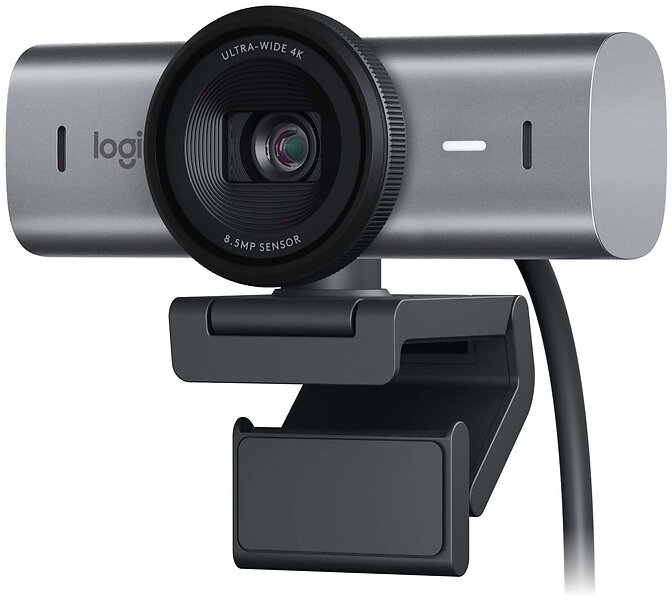
A powerhouse 4K webcam designed for those who need to look sharp in every single meeting.
The MX Brio 4K remains the gold standard for professionals who have moved past the grainy 1080p era.
Reasons to buy
- ✓Superb low-light performance thanks to the large sensor
- ✓Show Mode is actually useful for physical demonstrations
- ✓Build quality feels premium and sturdy on any monitor
What will annoy you (The brutal truth)
- ✕The Logi Options+ software remains a bloated mess that occasionally forgets your settings
- ✕The privacy shutter dial feels slightly gritty after a few months of heavy use
- ✕It is a chunky bit of kit that might dwarf smaller laptop screens
Insta360 Link 2 Pro 4K
🏆 Best for Content Creators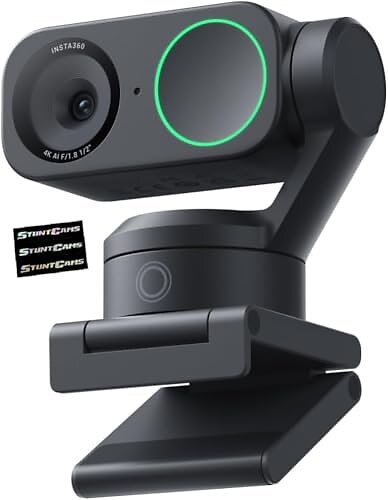
An AI-powered gimbal camera that follows you around like a devoted, high-definition spaniel.
If you cannot sit still during a presentation, the Insta360 Link 2 Pro is the only logical choice in 2026.
Reasons to buy
- ✓Gimbal tracking is eerily smooth and keeps you perfectly framed
- ✓Excellent 4K clarity with natural-looking skin tones
- ✓Gesture controls actually work without looking like you are swatting a fly
What will annoy you (The brutal truth)
- ✕The unit gets noticeably warm to the touch during long recording sessions
- ✕The AI tracking can occasionally get distracted by a second person entering the room
- ✕Overkill for someone who just needs to attend a weekly stand-up
Logitech HD Pro Webcam C920
🏆 Best Budget Workhorse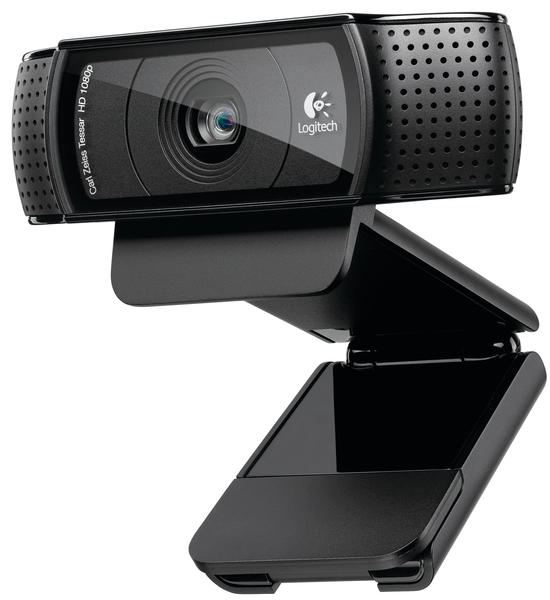
The cockroach of the tech world; it has been around forever and simply refuses to die.
Even in June 2026, the C920 remains the default 'good enough' option for those on a strict budget.
Reasons to buy
- ✓Reliable 1080p video that beats almost any built-in laptop camera
- ✓Plug-and-play simplicity that requires zero technical knowledge
- ✓Often found at a bargain price compared to 4K newcomers
What will annoy you (The brutal truth)
- ✕The fixed USB-A cable is a relic and a major failure point if it frays
- ✕Low-light performance is muddy and noisy by modern standards
- ✕The lack of a built-in privacy cover is an annoying oversight in this day and age
Logitech Brio 500
🏆 Best for Modern Desks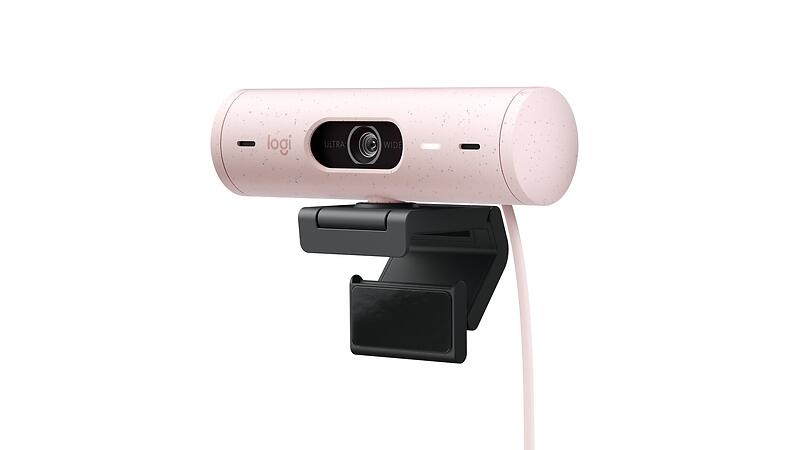
A stylish, mid-range 1080p camera that looks better on your monitor than you do on screen.
The Brio 500 strikes a sensible balance between aesthetics and functional performance.
Reasons to buy
- ✓The auto-framing feature is surprisingly competent for the price
- ✓Available in several colours to match your desk setup
- ✓The magnetic mount is clever and makes positioning a breeze
What will annoy you (The brutal truth)
- ✕The plastic casing feels a bit hollow and cheap compared to the MX line
- ✕Microphone quality is mediocre; you will still want a dedicated headset
- ✕The field of view is a bit narrow if you like to show off your office
Logitech StreamCam
🏆 Best for Social Media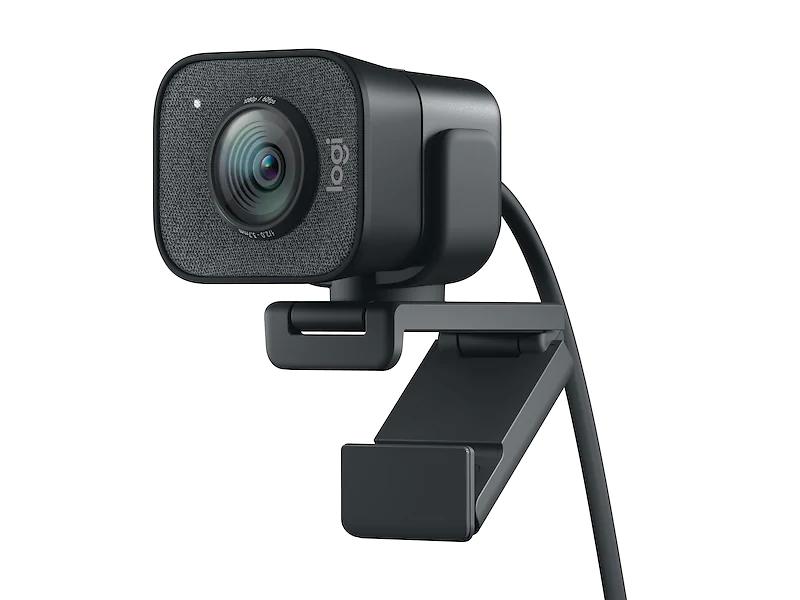
Designed specifically for the vertical video generation with a clever rotatable mount.
While getting on in years, the StreamCam is still the go-to for quick social media captures.
Reasons to buy
- ✓Easy to flip into portrait mode for TikTok or Instagram content
- ✓60fps at 1080p makes for very smooth motion
- ✓USB-C connectivity is standard and fast
What will annoy you (The brutal truth)
- ✕The non-detachable cable is far too short for anyone with a floor-standing PC
- ✕The mount is bulky and can obscure the top of some thin-bezel monitors
- ✕Auto-focus can be a bit twitchy if you move your hands around a lot
Still not sure which one to buy?
Join the Smart Spenders community! Talk to real buyers, ask questions about specific models, and make sure you are getting the absolute best deal.
Ask the Community →Choosing the Right Webcam: Ditch the Hype
Forget the marketing bullet points. What truly matters in a webcam is consistent image quality, reliable performance, and how it handles your specific environment. Don't overspend on features you'll never use.
Resolution vs. Reality
Everyone touts 4K, but unless you're streaming high-production content or have exceptional bandwidth, 1080p at 30fps is perfectly adequate for most video calls. Higher resolutions often mean more processing strain and larger file sizes, not necessarily a better experience for your viewers.
Lighting is Everything
No webcam, no matter how expensive, can magically fix terrible lighting. Invest in a cheap desk lamp or ensure you're well-lit from the front. A camera with good low-light performance helps, but it's a band-aid, not a cure, for a dim room.
Microphone Matters (Sometimes)
Most integrated webcam microphones are passable for quick chats but are rarely great. If audio quality is critical for presentations or streaming, assume you'll need a separate USB microphone. Don't let a 'great' mic claim sway you if you're serious about sound.
Mounting & Flexibility
Consider where and how you'll use it. Does it clip securely to your monitor? Does it have a tripod thread? A fixed cable can be a nuisance if your setup changes frequently. Look for stability and adaptability, not just a pretty face.
Frequently Asked Questions
Do I really need a 4K webcam?
For most users, no. 1080p is more than sufficient for video calls, and many platforms compress video anyway. 4K is only genuinely beneficial for high-fidelity content creation or if you absolutely need to crop heavily without losing detail.
Can a webcam replace a dedicated microphone?
For casual chats, yes. For anything professional or where audio clarity is paramount (streaming, podcasts, important meetings), absolutely not. Webcam mics pick up too much room noise and lack the richness of even a basic dedicated USB mic.
How do I improve my webcam's image quality?
Start with lighting: good front lighting is crucial. Then, check your webcam's software settings for exposure, white balance, and focus. Ensure your internet connection is stable, as bandwidth issues can degrade video quality more than the camera itself.
Transparency & Data: Prices and availability are updated regularly using data from PriceSpy and retailers.
We may earn a commission if you make a purchase, at no extra cost to you. Our rankings are based on user activity and data — not paid placements. Read our full methodology here.